how to get a pcie card working with an m.2 to pcie adapter and a 7th gen intel nuc
no viruses not clickbait , free download etc
hi!! are you trying to use a pcie card (like an HBA or NIC) with your intel nuc 7th generation mini pc? did you buy one of those weird m.2 to pcie adapters off aliexpress? is it not working? well, i might have a solution for you
it seems that the 7th gen nuc requires the m.2 CLKREQ# pin to be held low (connected to ground) for whatever's connected to actually show up. for some reason, a lot of m.2 to pcie adapters do not do this!! so you should use a multimeter to check if it's connected to ground.
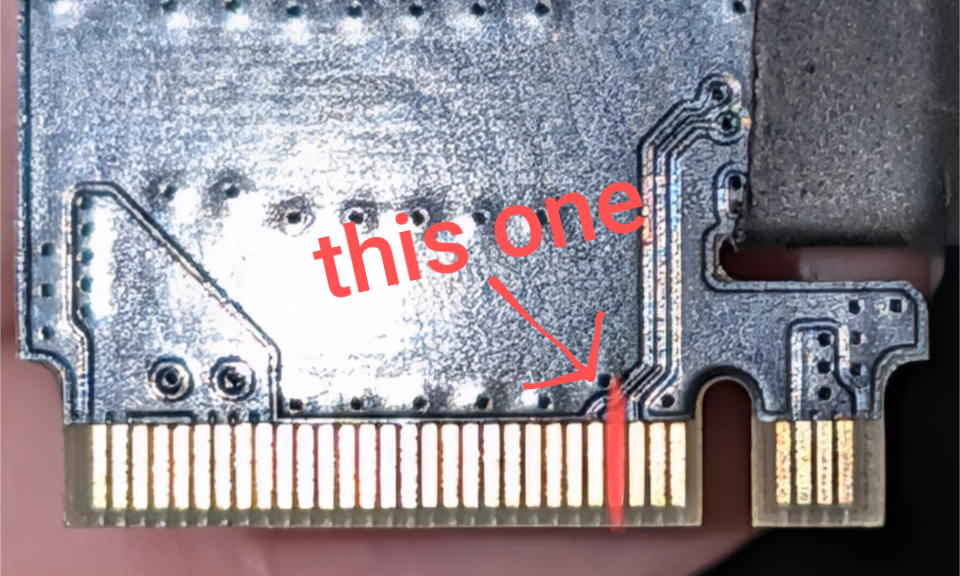
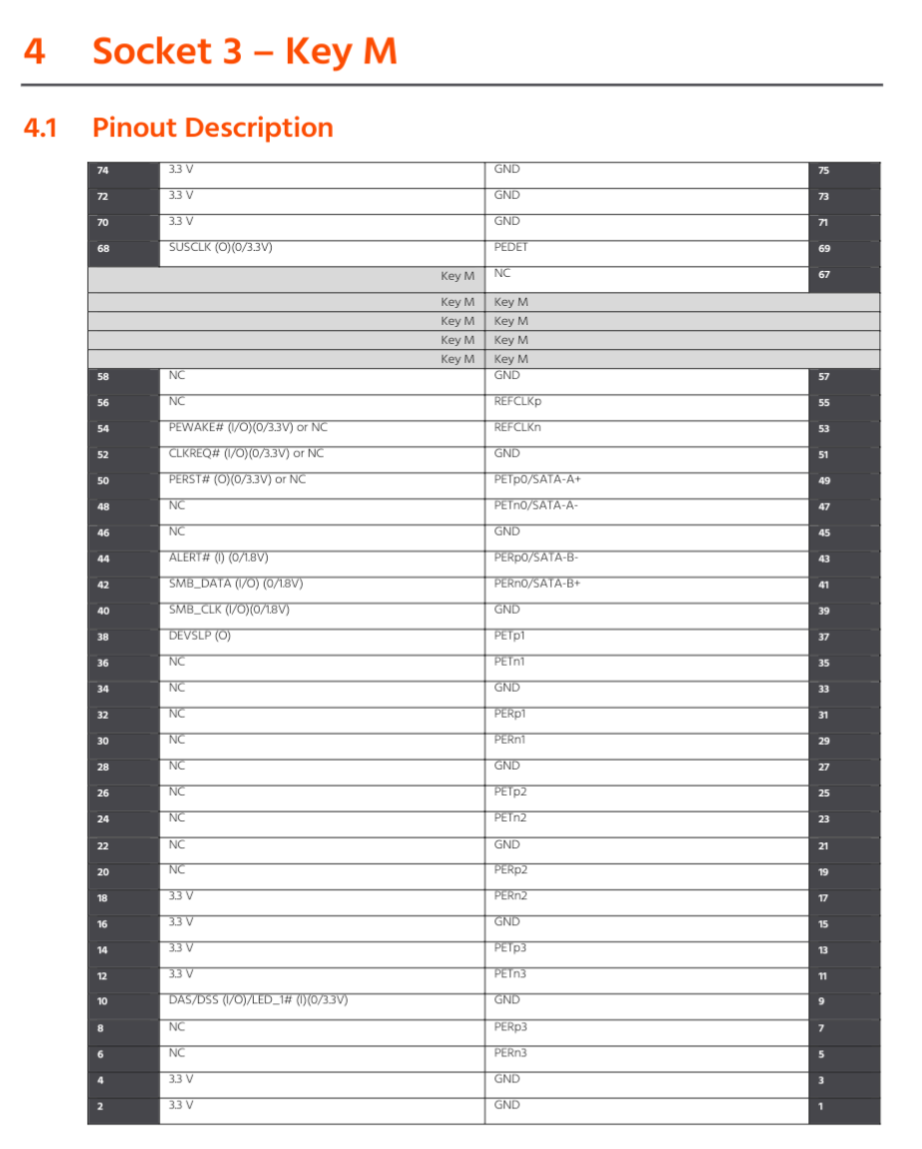
if it is, then your problem is elsewhere. but if it's not, you might be able to fix this with a bit of soldering!!
first, check if your adapter has any unpopulated jumpers/resistors/switches. use a multimeter to see if either side of any of them is connected to the CLKREQ# pin. if so, then check if the other side goes to ground, and if so, solder that closed. verify the CLKREQ# pin on the m.2 connector is now connected to ground, and try booting with the card plugged in.
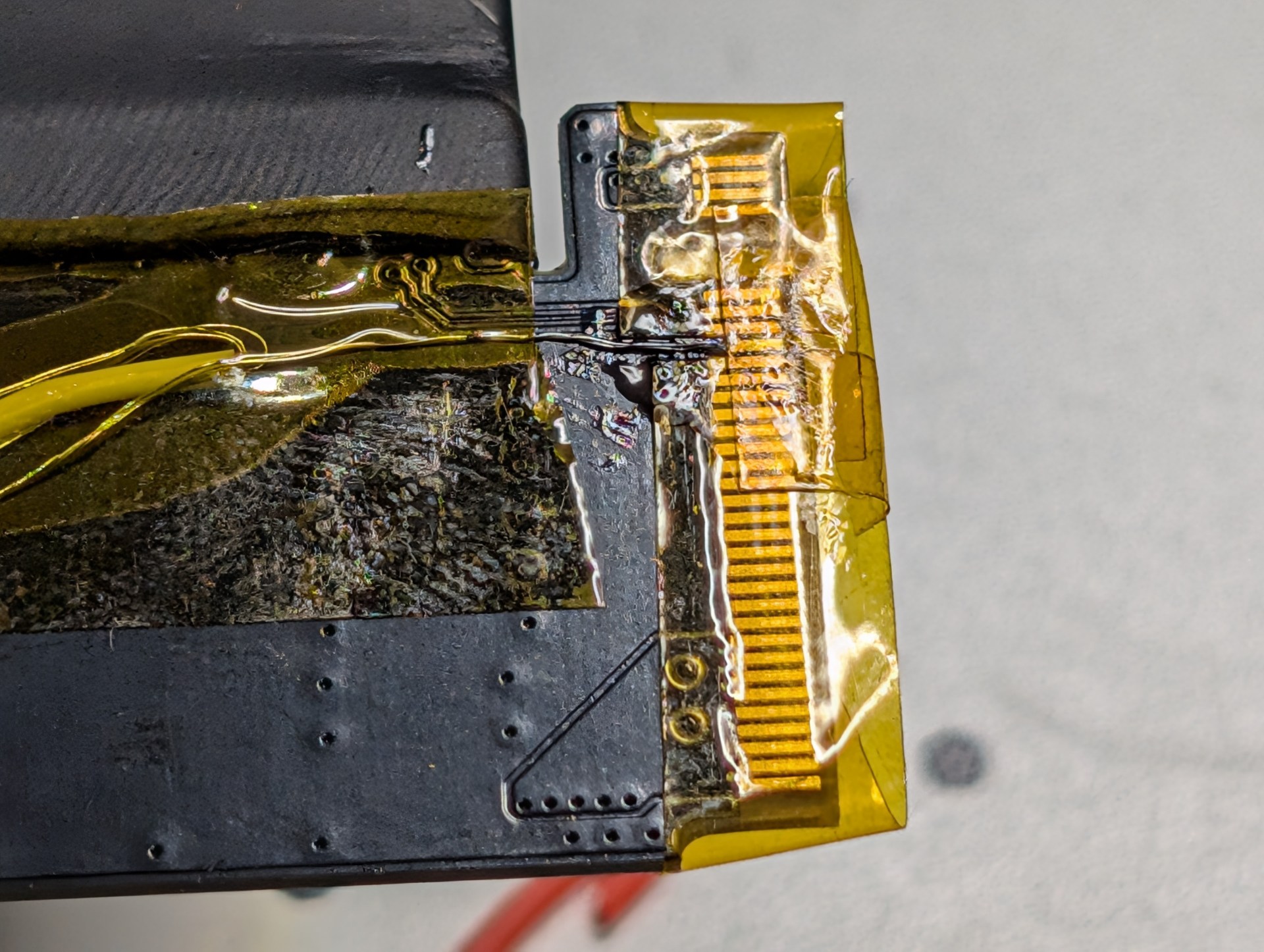
if you don't have anything like that on the board, then you'll have to do some microsoldering (or just get a new adapter if you can't do that). first, use some kapton tape to mask off every pin but CLKREQ#. then, mask off about three quarters of the length of the pin with more kapton tape.
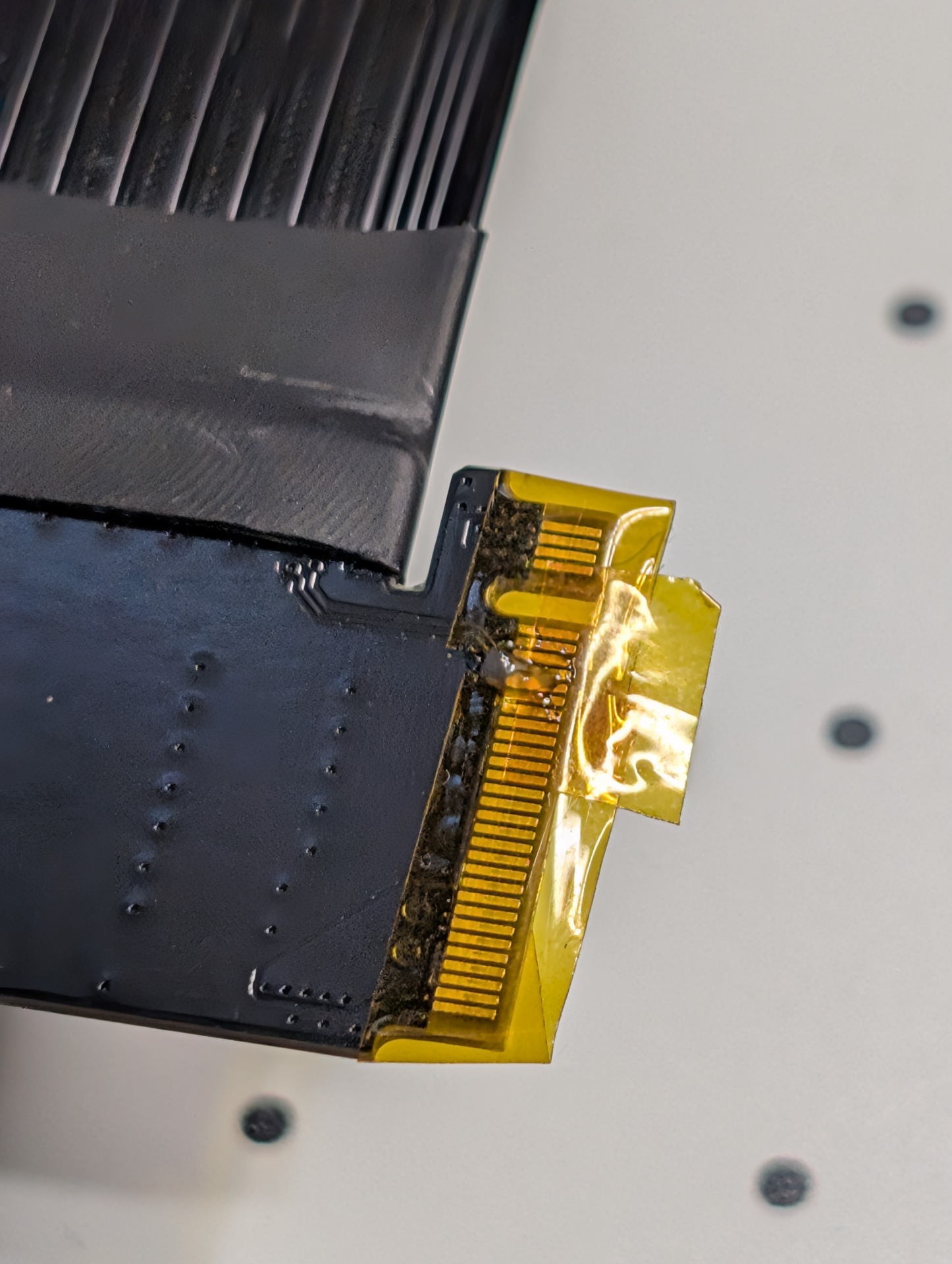
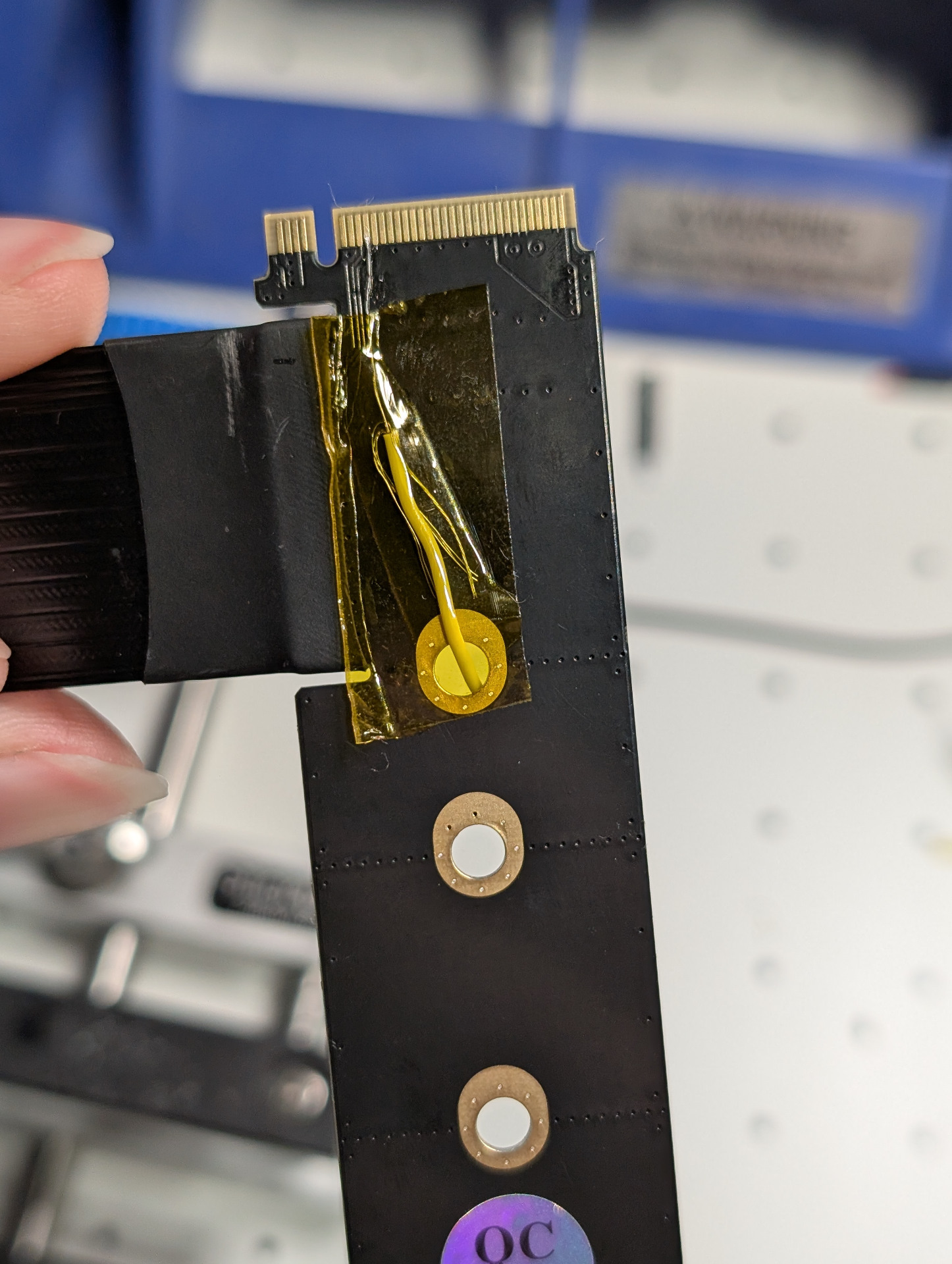
now, you can apply lots of flux and solder a very thin wire to the remaining exposed pin. i used two strands of some 28awg stranded silicone wire. then, tape that wire down with kapton tape to secure it, and remove all the tape you used for masking. use some isopropyl alcohol to clean the pins. use a multimeter to ensure the pins next to CLKREQ# are not shorted, and verify that the pin is actually connected to the wire. finally, find something connected to ground on the board (probably a mounting hole) and solder the other end of the wire to it. use your multimeter to verify the copper of the pin is now connected to ground.